 by
by Artificial intelligence (AI) is no longer just for developers or large companies. Today, free AI tools can help students, professionals, content creators, marketers, and business owners complete tasks faster and more efficiently. From writing articles and designing graphics to generating videos and summarizing documents, AI can save hours of work every week.
If you’re looking for the best free AI tools in 2026, here are 10 powerful options you should try.
1. ChatGPT
Best for: Writing, coding, brainstorming, learning
ChatGPT is one of the most popular AI assistants available. It can write articles, explain difficult topics, generate code, summarize documents, create emails, and even help with interview preparation.
Key Features
- Content writing
- Coding assistance
- Email drafting
- Study help
- Research support
Free Plan: ✅ Yes
2. Google Gemini

Best for: Google Workspace users
Google Gemini integrates with Gmail, Docs, Sheets, and Drive, making it ideal for productivity. It also provides strong reasoning and real-time information for many queries.
Key Features
- Gmail assistance
- Google Docs writing
- Image understanding
- Coding help
Free Plan: ✅ Yes
3. Claude


Best for: Long documents and professional writing
Claude excels at understanding lengthy documents and generating natural, well-structured text. It is particularly useful for reports, business writing, and document analysis.
Key Features
- Long-context analysis
- Business writing
- PDF summarization
- Research
Free Plan: ✅ Yes
4. Perplexity AI


Best for: Research with sources
Perplexity AI combines AI-generated answers with links to supporting sources, making it useful for research and fact-checking.
Key Features
- Web search
- Source citations
- Quick summaries
- Academic research
Free Plan: ✅ Yes
5. Canva AI
Best for: Graphic design
Canva AI helps users create presentations, social media posts, logos, posters, and marketing materials quickly using AI-powered design tools.
Key Features
- AI image generation
- Magic Design
- Background remover
- Social media templates
Free Plan: ✅ Yes
6. Notion AI
Best for: Productivity and note-taking
Notion AI helps organize notes, summarize meetings, generate action items, and improve writing inside your workspace.
Key Features
- Meeting summaries
- Task management
- AI writing
- Knowledge base
Free Plan: Limited free AI features
7. Grammarly AI
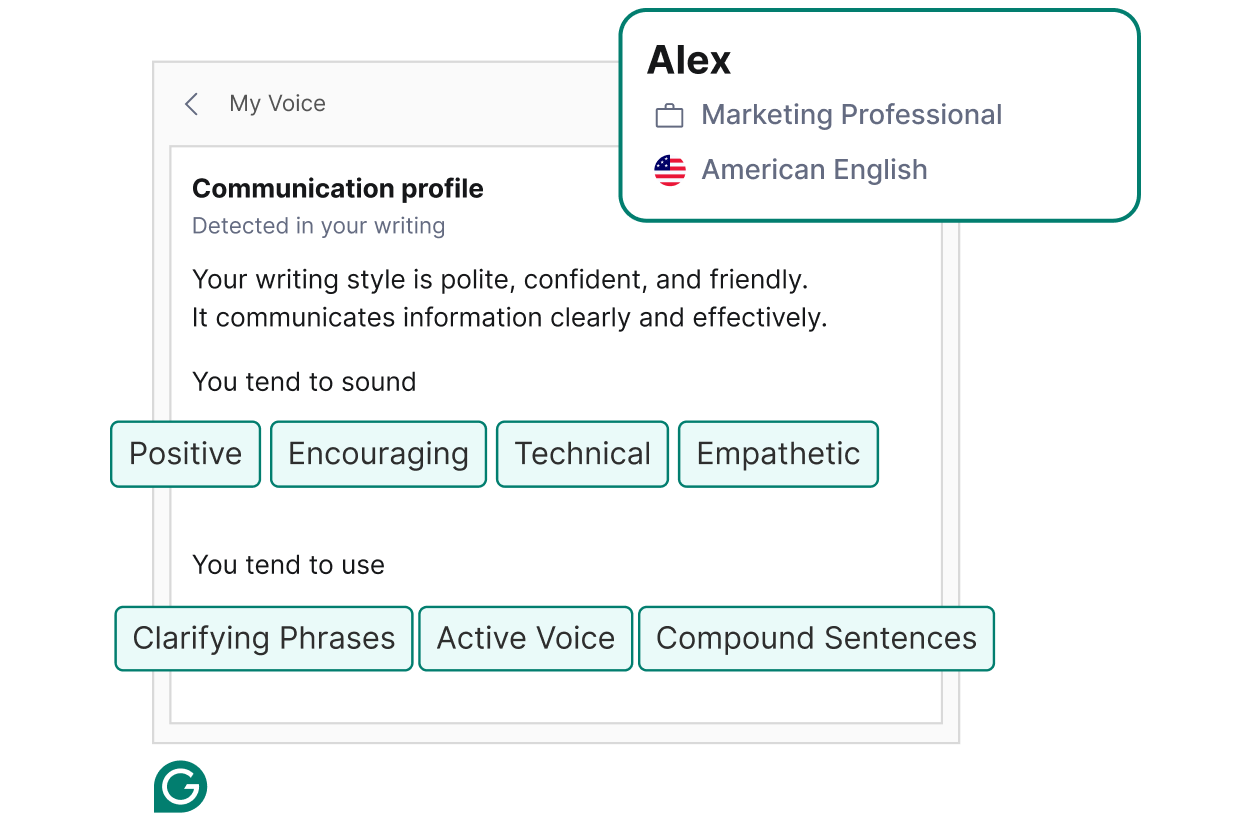
Best for: Grammar and writing improvement
Grammarly AI improves spelling, grammar, tone, and clarity while also suggesting rewrites for emails, blogs, and reports.
Key Features
- Grammar correction
- Tone suggestions
- AI rewriting
- Email drafting
Free Plan: ✅ Yes
8. Leonardo AI
Best for: AI-generated images
Leonardo AI is widely used by designers, game developers, and creators to generate high-quality images from text prompts.
Key Features
- AI art generation
- Character creation
- Concept art
- Game assets
Free Plan: ✅ Daily free credits
9. ElevenLabs

Best for: AI voice generation
ElevenLabs produces realistic AI voices for videos, podcasts, audiobooks, and presentations.
Key Features
- Text-to-speech
- Voice cloning
- Multiple languages
- Natural voice quality
Free Plan: ✅ Yes
10. Microsoft Copilot
Best for: Microsoft Office users
Microsoft Copilot integrates with Windows and Microsoft 365 to assist with writing, spreadsheets, presentations, and coding.
Key Features
- Excel assistance
- Word drafting
- PowerPoint creation
- Windows AI assistant
Free Plan: ✅ Yes
Comparison Table
| Tool | Best For | Free Version |
|---|---|---|
| ChatGPT | Writing & Coding | ✅ |
| Google Gemini | Productivity | ✅ |
| Claude | Long Documents | ✅ |
| Perplexity AI | Research | ✅ |
| Canva AI | Graphic Design | ✅ |
| Notion AI | Notes & Productivity | Limited |
| Grammarly AI | Writing | ✅ |
| Leonardo AI | Image Generation | ✅ |
| ElevenLabs | Voice Generation | ✅ |
| Microsoft Copilot | Office Productivity | ✅ |
Which AI Tool Should You Choose?
- Students: ChatGPT, Gemini, Perplexity AI
- Content Creators: Canva AI, Leonardo AI, ElevenLabs
- Developers: ChatGPT, Claude, Microsoft Copilot
- Researchers: Perplexity AI, Claude
- Business Professionals: Gemini, Notion AI, Grammarly
Summary
AI tools have become essential for improving productivity in 2026. Whether you’re writing articles, creating designs, conducting research, or managing daily tasks, these free AI tools can significantly reduce manual work and help you accomplish more in less time.